Free
Everything that's in Barsuk today
$0 forever
- Unlimited hosts and sessions
- SFTP, port forwarding, jump hosts
- Keys and import from PuTTY
- Encrypted vault
- Support by email
SSH client for Windows and macOS
Hosts with groups and search, tabs, files over SFTP, port forwarding and keys. Passwords stay in an encrypted vault, and PuTTY sessions move over in one step.
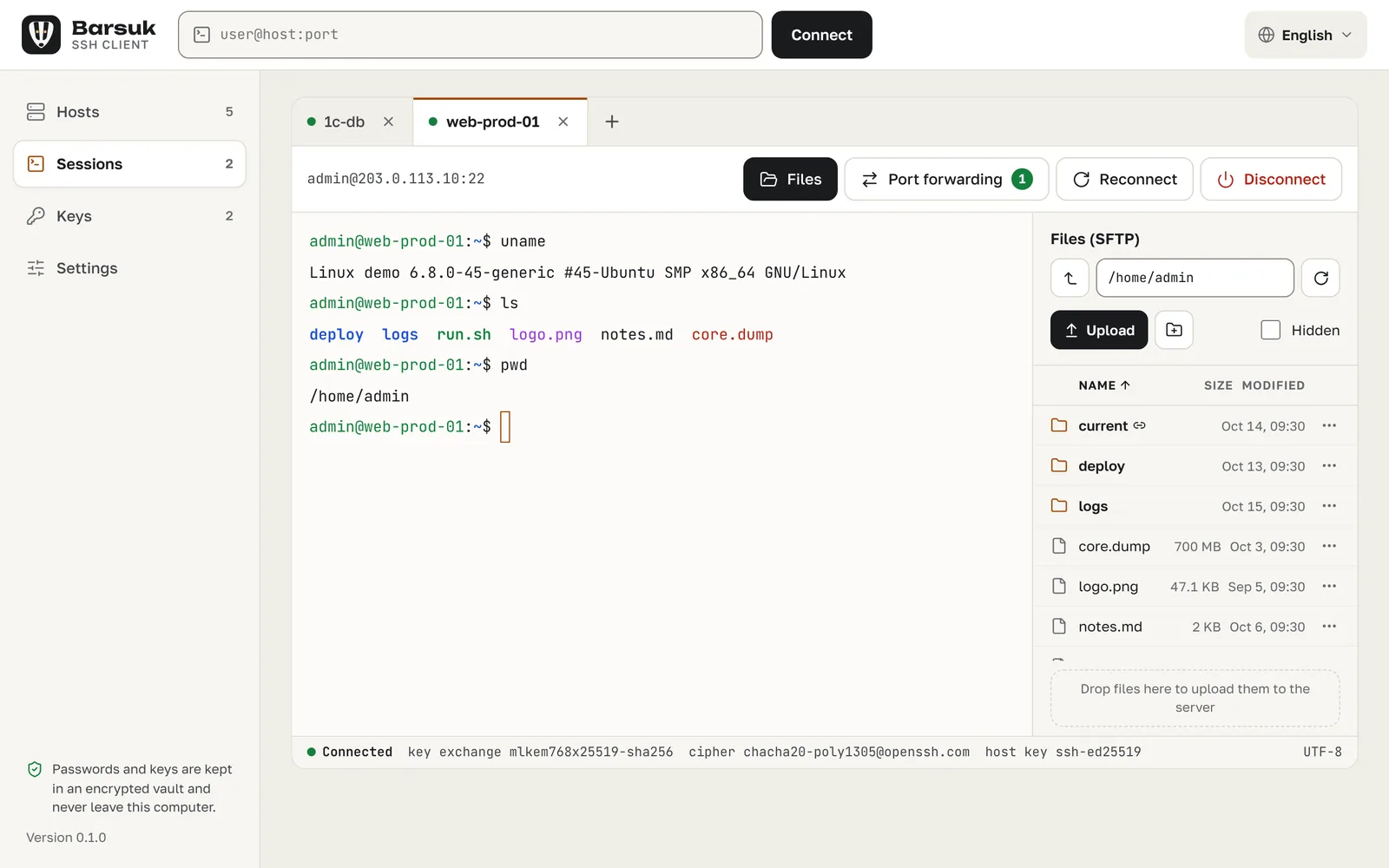
Several sessions side by side, search in the output, copy and paste the way you expect, links open with a click. vim, mc and htop work as they should.
A panel next to the terminal: upload and download with a queue and progress, drag files from your desktop, create, rename and delete folders.
Generate Ed25519 and RSA 4096 keys, import .ppk and OpenSSH files, copy the public key or install it on the server in one click.
Local forwarding reaches a database or a web panel behind the server. A connection through a jump host is one field in the host form.
Barsuk finds PuTTY sessions and hosts from ~/.ssh/config and shows what will be added before anything changes.
UTF-8, Windows-1251, KOI8-R and CP866 for old servers and network hardware. Older algorithms can be allowed for a single host.
Interface in English, Русский, 中文, 日本語 and हिन्दी. Windows 10 and 11, macOS 12 and later.
Passwords, private keys and passphrases are encrypted with XChaCha20-Poly1305. The vault key is kept by the system: Keychain on macOS, Credential Manager on Windows.
On the first connection you compare the server's fingerprint. If the key changes later, Barsuk does not connect and shows the saved and the new fingerprint.
The app connects only to your servers and to barsukshell.com to check for updates. No accounts and no analytics.
An update is installed only after you agree, and only if its signature is valid.
The connection is blocked. This may be a man-in-the-middle attack or a reinstalled server. Ask the administrator whether the key changed.
The basic version is free, with no limit on servers or sessions. Paid plans will add work across several devices and in a team.
Everything that's in Barsuk today
$0 forever
For one person with several devices
$4 per month
Discount for paying a year ahead
For a team with shared servers
$8 per person per month
Pro and Team are in development. Prices are preliminary.
Windows 10 and 11, 64-bit
macOS 12 or later, Apple silicon and Intel
The phone version is being tested
The iPhone version is in development
Yes. The basic version is free, with no limit on servers or sessions. Paid Pro and Team plans will add sync between devices and team features. What is free today stays free.
The first versions are not signed with a Windows certificate yet. In the SmartScreen window, click “More info”, then “Run anyway”.
Until Apple notarizes the app, open it once from System Settings → Privacy & Security → Open Anyway. After that it starts as usual.
Only on your computer, in the encrypted vault. Barsuk does not send hosts, passwords or keys anywhere.
Click Import on the Hosts screen. Barsuk finds PuTTY sessions and ~/.ssh/config, shows what will be added and imports it. .ppk keys are imported on the Keys screen.
The Android version is coming to RuStore and Google Play, and an iPhone version is in development; the links will appear on this page. Linux is not supported yet.